Solid Edge constitutes a cohesive suite of robust, inclusive, and user-friendly tools designed to enhance every facet of the product development journey. Tailored to tackle contemporary challenges, Solid Edge offers automated digital solutions that foster creativity and collaborative efforts.
By leveraging cutting-edge technologies in mechanical and electrical design, simulation, manufacturing, technical publications, data management, and cloud-based collaboration, Solid Edge effectively minimizes time-to-market, enhances production flexibility, and substantially cuts costs through its collaborative and scalable solutions.
Solid Edge 2024 Allows You To Visualize, Pan, Zoom And Rotate The Assemblies Faster
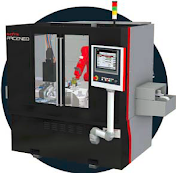
Swiftly visualize, pan, zoom, and rotate even your most expansive assemblies – now with a speed boost of up to 9 times faster. The latest visualization enhancements deliver an unparalleled, immersive digital experience. Improved model view performance ensures seamless viewing and manipulation of even the most extensive assemblies, eliminating lags, stutters, or buffering. Introducing new Immersive View Styles that place your models in real-world environments, automatically adjusting with model movements for heightened realism.
You Can Now Share and Collaborate from any Device
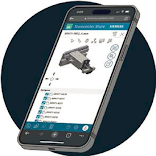 Solid Edge allows you collaboratively work as a team on a file from different locations by different team members. The file is shared in the cloud with Teamcenter Share. Connected to products across the Siemens Xcelerator portfolio, Teamcenter Share is a rich set of cloud-based capabilities that enable collaboration with colleagues, partners and customers, from anywhere, on any device. This feature helps you to enhance productivity and streamline the workflow and improve communication and move your projects forward.
Artificial Intelligence to Help You Get Faster And Better Results
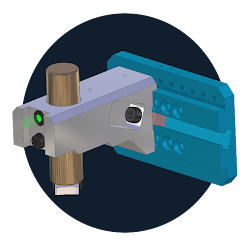
With the integration of Artificial Intelligence (AI) in Solid Edge, you can get various alternative results for replacing parts in an assembly. The AI intelligently predicts and offers suitable assembly relationships while assembling the parts. The AI-powered user interface learns your behavior to show you relevant commands in the right context. The modeling capabilities of synchronous Technologies of Solid Edge, recognizes and maintains the design intent in real time and its generative design capabilities add machine intelligence to the concept design.
Automated Assistance for Dimensioning
You can now convey the design intent for downstream manufacturing processes with new Model Based Definition (MBD) capabilities. Solid Edge’s Automated assistance helps you deliver consistent model dimensioning and annotations, thus reducing the chances of ambiguity in dimensioning.
Credit: Compiled from various sources and reproduced for learning purpose.